
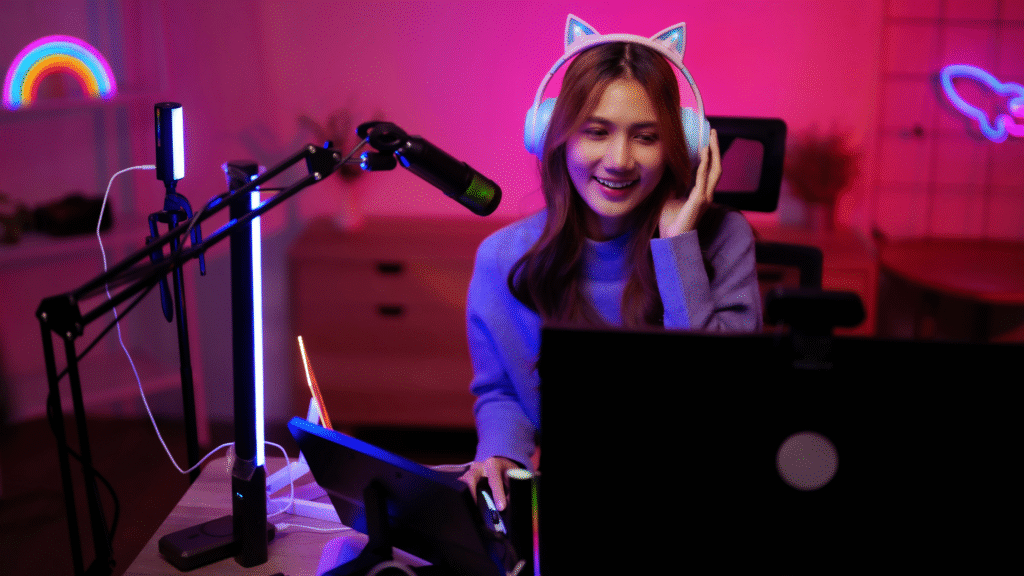
Streamers often reach a point where their current gear limits the quality of their content or their ability to engage viewers. The essential upgrades usually include a good microphone, a reliable camera, and a powerful PC or console to ensure smooth streaming. These core items directly impact how professional and enjoyable the stream feels to the audience.
Beyond the basics, streamers should consider lighting, green screens, and audio interfaces if they want to enhance production value further. Knowing when and what to upgrade depends on the streamer’s goals and budget, but investing in clear audio and video quality is always a wise choice.
Upgrading gear is not just about technology; it’s about improving the viewer’s experience and standing out in a crowded field. Careful selection and timely upgrades can help streamers build a more engaged and loyal audience over time.
Essential Gear Upgrades for Streamers
Upgrading essential equipment improves audio clarity, video quality, and on-camera presence. Investing in the right microphone, camera, and lighting helps streamers create a more professional and engaging broadcast.
Microphones for Professional Audio
A quality streaming microphone is crucial for clear audio. The Shure SM7B is a popular choice among serious streamers for its rich sound and noise rejection. It requires an audio interface but delivers broadcast-quality results.
For more budget-friendly options, the Blue Yeti offers plug-and-play USB convenience with multiple pickup patterns. It fits well for those not ready to invest in external audio gear.
Streamers should consider voice clarity, background noise rejection, and compatibility when selecting a microphone. Adding a pop filter and boom arm further enhances audio quality and ease of use during streams.
Cameras and Webcams for Crisp Video
A sharp video setup significantly impacts viewer engagement. The Razer Kiyo stands out with its built-in ring light and 1080p resolution, offering better low-light performance without extra lighting equipment.
For higher-end production, upgrading to a DSLR or mirrorless camera paired with a capture card can deliver superior image quality. However, this requires additional setup and expense.
Streamers should evaluate resolution, frame rate, autofocus, and lighting integration. Crisp video with smooth motion ensures the stream looks professional and keeps viewers focused on the content.
Lighting Setup for On-Camera Presence
Effective lighting for streaming improves visual clarity and reduces shadows. The Elgato Key Light is a widely recommended option that provides adjustable brightness and color temperature to match the ambient light.
Positioning lights at 45-degree angles creates a flattering look and highlights facial features. Streamers can combine multiple lights to balance key and fill effects for depth.
Good lighting makes the streamer appear more vibrant and helps webcams capture the best possible image, essential for maintaining viewer attention on screen.
Maximizing Stream Performance and Control
Effective stream management depends on automating tasks, capturing high-quality gameplay, and ensuring precise audio control. Tools that improve these areas significantly boost both the stream’s professionalism and the streamer’s ease of use.
Stream Decks for Workflow Automation
Stream decks, particularly the Elgato Stream Deck and the updated Elgato Stream Deck MK.2, provide customizable buttons that automate common streaming tasks. These devices allow streamers to switch scenes, launch media, control audio, and send chat messages with a single press.
The MK.2 model offers improved tactile keys and better hardware durability. Each button can be programmed using simple drag-and-drop software, which supports multi-action macros to handle several commands sequentially.
This automation reduces distractions during live streams, allowing streamers to focus on content rather than technical adjustments. Stream decks also integrate well with popular streaming software like OBS and Streamlabs, ensuring smooth operation.
Capture Cards for High-Quality Console Gameplay
Capture cards are essential for streaming gameplay from consoles or external devices at high quality. These devices offload encoding from the PC, reducing streaming lag and improving video fidelity.
Elgato’s capture cards are widely recognized for supporting 4K passthrough and 1080p 60fps capture, enabling clear and smooth visuals. Models such as the Elgato HD60 S+ provide USB 3.0 connectivity for fast data transfer.
Using a capture card ensures the raw game feed is recorded without performance loss, which is critical for competitive gaming streams. It also allows streamers to use a PC for both gaming and broadcasting, separating workload effectively.
Headphones and Audio Management
Accurate audio management is crucial for clear communication and quality sound output during streams. Preferred headphones offer a flat frequency response, noise isolation, and comfort for extended sessions.
Streamers often pair headphones with audio mixers or digital audio interfaces, managing multiple sound sources like game audio, chat, and microphone input. This setup prevents audio bleed and keeps levels balanced.
Devices like the Elgato Wave Link software complement headphones by providing customizable audio mixing. They allow real-time adjustment without interrupting the stream, ensuring consistent sound quality.
Platform-Specific Considerations
Streamers must tailor their gear upgrades to the platform they use and the content they create. Different platforms require specific hardware and software setups to optimize performance and audience engagement.
Twitch Streaming Best Practices
Twitch demands a stable, high-speed internet connection for consistent streaming, ideally 5 Mbps upload or higher. Streamers benefit from investing in a quality microphone like the Shure SM7B and a reliable webcam such as the Logitech C922 for clear audio and video.
Customization tools like Streamlabs or OBS Studio are essential for adding overlays, alerts, and chat integration. Upgrading to a dual-PC setup can reduce lag during high-intensity streams, especially for streamers running resource-heavy games.
Lighting improvements, such as ring lights or softboxes, significantly enhance video quality on Twitch. Additionally, streamers should use a capture card, like the Elgato HD60, when streaming console games for better input quality.
YouTube Streaming Essentials
YouTube streaming prioritizes video quality and discoverability. Streamers should invest in cameras capable of 1080p or 4K resolution to meet audience expectations on this platform.
Unlike Twitch, YouTube’s algorithm favors structured content, so capturing clean, high-quality visuals with a DSLR or mirrorless camera can help retention. Proper microphone choice, like the Rode NT-USB, ensures clear sound for longer videos.
Streaming software must support scheduled streams and high-efficiency codecs like H.264 for better compression. A good GPU helps encode video without overloading the CPU during streams. Proper metadata and tags increase reach via YouTube’s search and recommendation systems.
Games and Content Selection
Choosing the right games influences gear needs. Fast-paced, graphically intense titles like Call of Duty require powerful GPUs such as the NVIDIA RTX 3080 or better to maintain smooth streaming quality.
For strategy or indie games, less powerful hardware may suffice, allowing streamers to allocate funds to better audio or lighting gear. Content variety, including IRL streams or creative formats, demands flexible equipment like mobile stream kits or multi-camera setups.
Streamers should assess platform trends and audience preferences to select popular titles that align with their hardware capabilities. Game capture quality can be improved with SSDs to reduce load times and improve responsiveness during streams.
Finishing Touches to Upgrade Your Stream
Small adjustments can significantly improve the viewer experience and set a stream apart. Streamers should focus on visual consistency and audience preferences to make these final improvements effective.
Personalizing Your Setup
Streamers need to tailor their environment to reflect their brand clearly. This includes selecting custom overlays, consistent color schemes, and unique alerts that fit the overall style.
Good lighting plays a crucial role here. Using a key light with adjustable color temperature ensures the streamer’s face is clearly visible without harsh shadows.
Investing in a quality microphone stand or boom arm reduces desk clutter and improves audio clarity. Positioning the mic close to the mouth minimizes background noise.
Additionally, having a secondary monitor for chat or stream control helps manage interactions smoothly, contributing to a polished stream.
Optimizing for the US Audience
Understanding US viewers’ preferences involves considering cultural norms and peak streaming hours. Streamers should schedule broadcasts between 6 p.m. and 11 p.m. ET to hit prime time for most US time zones.
Content should respect language and idioms familiar to this audience. Ensuring stream titles, descriptions, and alerts use American English improves engagement and searchability within US-centric platforms.
Technical aspects like uploading VODs early in the day and using captions increase accessibility. Streamers can also include references or themes popular in US gaming and entertainment to build rapport.
Focusing on these elements can make streams more appealing and accessible to the US audience, driving better viewer retention.