
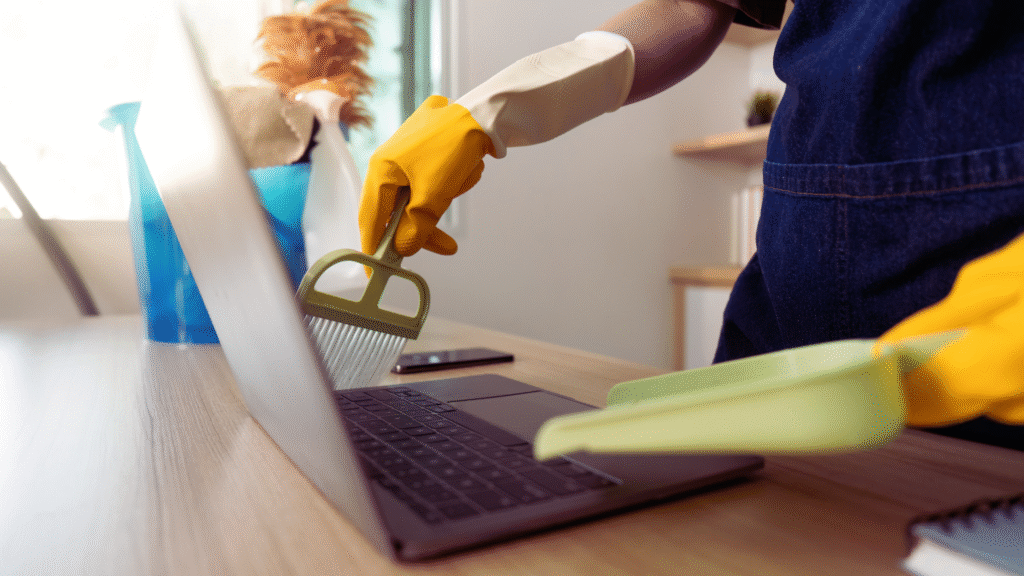
A clean and organized gaming setup improves focus and enhances the overall gaming experience. It reduces clutter, making it easier to find accessories and maintain the equipment. Keeping cables managed, regularly cleaning surfaces, and designating storage for peripherals are key steps to maintaining an orderly space.
Gamers often accumulate multiple devices and accessories, which can quickly create a chaotic environment. Implementing simple habits like using cable organizers and storage bins can prevent clutter from building up. This approach not only preserves the hardware but also creates a more inviting and efficient area for gaming sessions.
Fundamentals of a Clean Gaming Setup
Maintaining a clean gaming setup requires scheduled tasks, practical tools, and an understanding of how cleanliness impacts hardware performance. Attention to daily tidiness, regular deep cleaning, and proper equipment care creates an organized environment that supports both comfort and device longevity.
Daily, Weekly, and Monthly Maintenance
Daily tasks include clearing crumbs from the keyboard, wiping dust off screens using a screen cleaning solution, and organizing cables to prevent tangles. Simple actions reduce immediate clutter and avoid buildup.
Weekly maintenance involves more thorough dusting of the gaming PC interior with compressed air, unplugging peripherals like the gaming keyboard to clean between keys, and vacuuming the desk area. This frequency helps maintain airflow and prevents grime accumulation.
Monthly tasks focus on deep cleaning, such as removing the PC case to clean fans and heat sinks, disinfecting mouse and controller surfaces, and checking for cable damage. Scheduled upkeep minimizes the risk of hardware failure during gameplay.
Benefits for Performance and Longevity
A clean gaming setup improves cooling efficiency by removing dust from vents and fans in the gaming PC. Reduced heat buildup supports stable performance during long sessions.
Dust-free keyboards and mice provide more accurate input, enhancing the gaming experience. Clean screens improve visibility, preventing eye strain in both the US and UK, where room lighting conditions vary.
Keeping equipment clean prevents corrosion and electrical issues on connectors. Regular maintenance extends the lifespan of costly components and reduces the need for premature replacements.
Creating a Cleaning Toolkit
An effective cleaning toolkit should include compressed air cans, microfiber cloths, isopropyl alcohol wipes, and a dedicated screen cleaning solution. These supplies safely remove dust and oils without damaging sensitive surfaces.
For cable management, reusable velcro ties and cable clips help maintain order and reduce tangling. A small brush improves cleaning around keyboard keys and PC fans.
Storing the toolkit near the gaming setup encourages consistent use. Having the right tools ready makes routine maintenance more efficient and less disruptive to gaming sessions.
Cable Management Strategies
An effective cable organization reduces clutter and improves the gaming space’s usability. Focusing on securing cables, planning device placement, concealing lines, and opting for wireless accessories creates a streamlined setup.
Using Cable Clips and Zip Ties
Cable clips and zip ties are essential for grouping cables tightly and preventing tangling. Clips attach cables to desk edges or walls, keeping pathways clear and reducing cable wear.
Zip ties bundle multiple cables together, which is especially useful for power cords and HDMI lines behind the monitor or under the desk. Reusable zip ties allow easy adjustments as new gaming accessories, like headsets or controllers, are added.
Choosing the right size matters; tight zip ties prevent movement but should not pinch cables, which may damage their insulation. Cable clips with adhesive backing provide stability but require clean surfaces for best adhesion.
Planning Your Equipment Layout
Arranging gaming equipment with cable length and connection points in mind simplifies cable management. Placing the PC or console near power outlets minimizes excess cable length.
Positioning controllers and headsets on dedicated stands close to their connection ports reduces the need for long, loose cables. The group frequently used accessories to enable quick access without cable interference.
Evaluating each device’s cable routing path before setup prevents crossing wires. Measuring cables beforehand helps ensure none are too short or excessively long, which complicates organization.
Concealing and Labeling Cables
Concealing cables improves the aesthetic of any gaming setup. Using cable sleeves, raceways, or under-desk trays keeps wires out of sight and protected from accidental tugs.
Labeling cables at both ends identifies them quickly during maintenance or upgrades. Simple tags or color-coded markers work well for distinguishing power lines from peripheral cables.
Clear labeling reduces unplugging errors, especially with multiple similar-looking cables like USB or audio connectors. Regular checks ensure clips and ties remain secure, maintaining a tidy appearance over time.
Choosing Wireless Accessories
Wireless gaming accessories reduce cable clutter significantly. Controllers and headsets with Bluetooth or proprietary wireless tech eliminate the need for constant wired connections.
Choosing accessories with reliable battery life and low latency is key to maintaining performance. Wireless options streamline the desk area, making cleaning and rearranging easier.
Wireless receivers should be placed where signal blockage is minimal, improving connection stability. Users benefit from fewer cables to manage, but keeping chargers organized remains necessary.
Optimizing Storage and Organization
Effective gaming setup organization involves choosing practical storage solutions, assigning specific spaces for devices, and integrating charging options. These elements reduce clutter and keep gaming accessories accessible.
Adopting Storage Solutions for Accessories
Proper storage for gaming accessories like controllers, headsets, and cables is essential. Using stackable drawers or wall-mounted shelves helps separate items and prevents tangling or damage. Clear bins or labeled containers allow quick identification without opening each box.
Cable organizers or velcro straps streamline loose wires, maintaining a tidy workspace. Small racks designed for controllers keep them upright, reducing wear and making them easy to grab. Investing in storage solutions with varied compartments accommodates different accessory sizes efficiently.
Dedicated Spaces for Consoles and Devices
Assigning dedicated areas for consoles and other devices supports airflow and prevents overheating. Shelving units with open backs or cooling stands improve ventilation. Position consoles on sturdy surfaces away from direct sunlight or hazards.
Using equipment risers or stands can maximize space beneath desks or shelves. Grouping gaming devices together in an accessible spot reduces time spent connecting or disconnecting hardware. Labeling ports or cables can also speed up setup and teardown.
Setting Up a Charging Dock or Station
A centralized charging dock consolidates power needs for multiple controllers and wireless accessories. Choosing docks compatible with various controller types streamlines the process and avoids multiple chargers.
Setting the dock on a desk or nearby shelf keeps charged devices always ready to use. He might select docks with LED indicators to monitor charge status. Ensuring outlets are easily reachable and using surge protectors protects devices from electrical damage.
Maintaining Cleanliness and Enhancing Aesthetics
Keeping a gaming setup clean requires regular dust control and proper cleaning of screens and peripherals. Adding ambient lighting and personal touches improves both appearance and user experience without clutter.
Dust Prevention and Removal
Dust buildup harms components and reduces airflow. Using compressed air regularly clears dust from hard-to-reach places, especially inside keyboards and vents. Cleaning should be done every one to two weeks to maintain performance.
Placing dust filters on intake fans helps reduce dust entry. Keeping the room ventilated and minimizing open windows can also prevent excessive dust accumulation. Using a microfiber cloth around the desk and monitor base keeps surfaces dust-free.
Screen and Peripheral Cleaning
A screen’s clarity is vital. Use a dedicated screen cleaning solution applied to a microfiber cloth—not directly on the screen—to prevent damage. Wiping in a circular motion removes smudges and fingerprints without scratching.
For peripherals like a gaming keyboard, turn them off before cleaning. Remove keycaps periodically for deep cleaning to avoid grime buildup. Use compressed air to blow out debris between keys and a lightly dampened cloth for the keyboard surface.
Integrating LED Strips and Personal Touches
LED strips enhance ambiance while keeping a clean look. They should be tucked along desk edges or behind monitors to avoid cable clutter. Selecting customizable LED lighting allows matching colors to games or moods without excessive brightness.
Personal touches such as framed prints, organized cable management, and minimal accessories maintain an aesthetic balance. Keeping surfaces clear and using cable organizers ensures the area looks tidy and functional, complementing the lighting setup.