
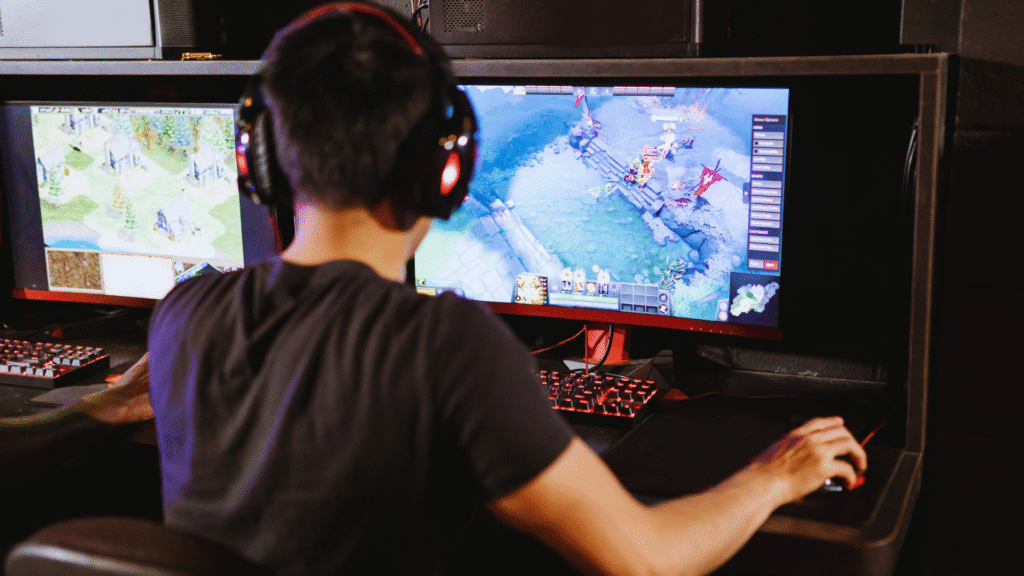
Choosing the best gaming headset depends on understanding personal preferences and gaming habits. Sound quality, comfort, and microphone performance are key factors that influence the overall experience. The best headset matches the user’s style by balancing these features with budget and platform compatibility.
Different gamers prioritize different features, whether it’s immersive surround sound for RPGs or a lightweight design for long sessions. Considering the type of games played and where they play helps narrow down options effectively.
They should also think about connectivity, durability, and extra functions like noise cancellation or customizable audio settings. This approach ensures the headset not only fits their style but also enhances gameplay and communication.
Understanding Your Gaming Needs
Choosing a gaming headset depends heavily on the hardware it will connect to, the type of connection preferred, and how much one is willing to spend. These factors guide the selection of features and quality levels suitable for different gaming styles.
Identifying Your Preferred Gaming Platform
The choice of gaming platform—PC, console, or mobile—affects headset compatibility and features. For PC gamers, headsets with USB or 3.5mm jacks are common, while consoles like PlayStation and Xbox often support both wired and wireless connections.
Some wireless gaming headsets offer platform-specific functionality, such as chat mix control or 3D audio support, which might not work across different devices. Mobile gamers should consider headsets with Bluetooth or a 3.5mm jack for flexibility.
Checking the headset’s compatibility with the preferred gaming platform avoids issues like latency, poor microphone performance, or missing audio features.
Wired vs Wireless Gaming Headsets
Wired gaming headsets connect via cables like USB or 3.5mm jacks, providing stable audio without battery concerns. These are typically more affordable and prioritize sound quality with minimal latency.
Wireless gaming headsets offer freedom of movement and a clutter-free setup, but require battery management. Bluetooth headsets can have latency issues, while dedicated wireless headsets use proprietary RF connections for better performance.
Gamers should consider play style and setup; stationary players often prefer wired models for reliability, while those who move around or stream might benefit from wireless convenience.
| Feature | Wired Headset | Wireless Headset |
| Latency | Low | Can vary, sometimes higher |
| Battery Dependency | None | Requires charging |
| Price Range | Generally lower | Generally higher |
| Mobility | Limited by cable length | High |
Setting Your Budget
Budget gaming headsets vary from entry-level models around $30 to premium units over $200. Budget choices often sacrifice build quality or advanced features like surround sound or noise cancellation.
A mid-range budget ($70-$150) can get reliable wireless gaming headsets with clear audio, a comfortable fit, and decent microphones. Spending above $150 opens options with superior sound drivers, premium materials, and extra features like customizable EQ.
Gamers should prioritize important headset features within their budget rather than chasing every spec. Balance between sound quality, comfort, microphone clarity, and durability is key when selecting a gaming headset at any price point.
Key Features to Evaluate
Choosing the right gaming headset involves balancing several critical attributes that affect both gameplay and comfort. Attention to audio clarity, communication tools, and physical fit plays a significant role in the overall experience.
Sound Quality and Audio Performance
Sound quality determines how well players can detect in-game cues like footsteps or distant gunfire. Good gaming audio often includes surround sound or virtual surround sound, which creates spatial audio that helps locate sounds accurately.
Highly rated headsets provide clear highs and deep lows without distortion. Some models feature customizable equalizers to adjust audio output based on game type or player preference. Drivers with sizes between 40mm and 50mm typically deliver richer sound.
Cable quality or wireless stability also impacts audio consistency by reducing dropouts and interference. Noise isolation or active noise-canceling features improve audio immersion by blocking external sounds.
Microphone Quality and Communication
Clear microphone quality is essential for multiplayer games requiring coordination. A detachable boom mic is preferred for flexibility, letting users switch off the mic when not needed.
Look for microphones with noise-canceling technology to minimize background sounds. Frequency response in the range of 100Hz to 10kHz captures voice clearly without excessive echo.
Some headsets provide in-line controls for muting or adjusting microphone volume quickly. Reliable voice transmission with minimal latency benefits team communication during competitive play.
Comfort and Ergonomics
Comfort affects how long a player can wear the headset without fatigue. Features like adjustable headbands and memory foam ear cups improve fit for various head shapes and sizes.
Lightweight materials reduce pressure on the head and ears. Breathable fabrics on ear pads help prevent sweating during long sessions.
Clamping force should be enough to secure the headset but not so tight that it causes discomfort. Swivel ear cups allow for easier storage and a better on-ear fit during movement.
Build Quality and Durability
Durability is key for headsets used daily or transported frequently. Reinforced frames made from metal or high-grade plastic resist breakage better than cheaper models.
Cables with braided or tangle-free designs last longer and withstand wear. Joints and hinges should be robust, as these tend to fail first.
Water-resistant or sweat-resistant materials enhance lifespan when used in active gaming setups. Warranty length and customer support also reflect confidence in build quality.
Advanced Features and Customization
Choosing a gaming headset often hinges on specific capabilities that enhance comfort and performance. Factors like sound control, connection types, battery endurance, and visual customization can significantly impact the user’s experience and fit with different gaming setups.
Noise Isolation and Active Noise Cancellation
Noise isolation blocks external sound using physical design, typically with closed-back ear cups. This helps concentrate on game audio without distractions.
Active Noise Cancellation (ANC) uses microphones and electronic processing to counter background noise. High-end models, like the Alienware Pro Wireless, balance ANC carefully, reducing constant hums without distorting game sounds.
Open-back gaming headsets lack noise isolation but offer natural sound and better spatial awareness. Choosing between closed-back with ANC and open-back depends on whether the user prioritizes silence or soundstage.
Connectivity Options and Compatibility
Modern gaming headsets offer multiple connection methods. The Alienware Pro supports 2.4GHz wireless through a dedicated wireless dongle, enabling a reliable, low-latency link to PCs and consoles.
Bluetooth 5.3 is common for mobile devices and casual gaming, but can have slightly higher latency. Many headsets also include a 3.5mm connection for universal compatibility with consoles, PCs, and mobile devices.
Selecting a headset with both wireless (2.4GHz and Bluetooth) and wired options ensures flexibility across different devices and usage scenarios.
Battery Life and Charging
Battery life varies widely based on features like wireless frequency and RGB lighting. The Alienware Pro Wireless typically delivers around 15 to 20 hours per charge without RGB active.
Fast charging is valuable for gamers who need a quick turnaround between sessions. USB-C charging is now standard for efficient power delivery.
Users should consider standby time and whether the headset can be used while charging to avoid interruptions during long gaming marathons.
Aesthetics and RGB Lighting
RGB lighting is frequently used to enhance the look of gaming headsets, adding customizable color zones on ear cups and headbands.
Some models allow users to program lighting profiles to sync with other peripherals. The Alienware Pro line offers customizable RGB with AlienFX software for precise visual effects.
While lighting does not affect performance, it can complement gaming setups visually. Users focused on stealth or simplicity may prefer minimal or no RGB options.
Choosing the Best Gaming Headset for You
Selecting the ideal gaming headset depends on specific features like sound quality, comfort, and compatibility. Understanding these will help narrow down choices to models suited for different gaming preferences and environments.
Comparing Top Gaming Headset Models
When comparing gaming headsets, focus on sound performance, microphone quality, build, and wireless capabilities. The Razer BlackShark V2 Pro stands out for its balanced audio, equipped with THX Spatial Audio for precise positional sound. It offers a detachable cardioid mic that filters out background noise effectively.
Other top models may offer features such as active noise cancellation or higher wireless range, but often at the cost of battery life or comfort. Wired headsets tend to have less latency, which matters for competitive gamers. Comfort features like memory foam ear cups also vary, influencing long sessions.
Price is another factor; the BlackShark V2 Pro delivers strong performance around mid to high price points. Comparing specs like frequency response, mic clarity, and weight is essential to match individual priorities.
Tailoring Your Headset Choice to Your Play Style
Casual gamers may prioritize comfort and affordability, opting for headsets with padded ear cups and reliable sound without expensive extras. Competitive gamers benefit from low-latency wireless or wired connections and clear, noise-canceling microphones.
For multiplayer games requiring communication, a headset with a high-quality mic like the BlackShark V2 Pro helps maintain clear team coordination. Single-player gamers might focus more on immersive sound with virtual surround features.
Game genres also affect choices. FPS players generally need precise spatial audio and a fast mic, while RPG players might value richer sound detail over communication capability. Matching headset features to usage ensures a better, more tailored experience.