
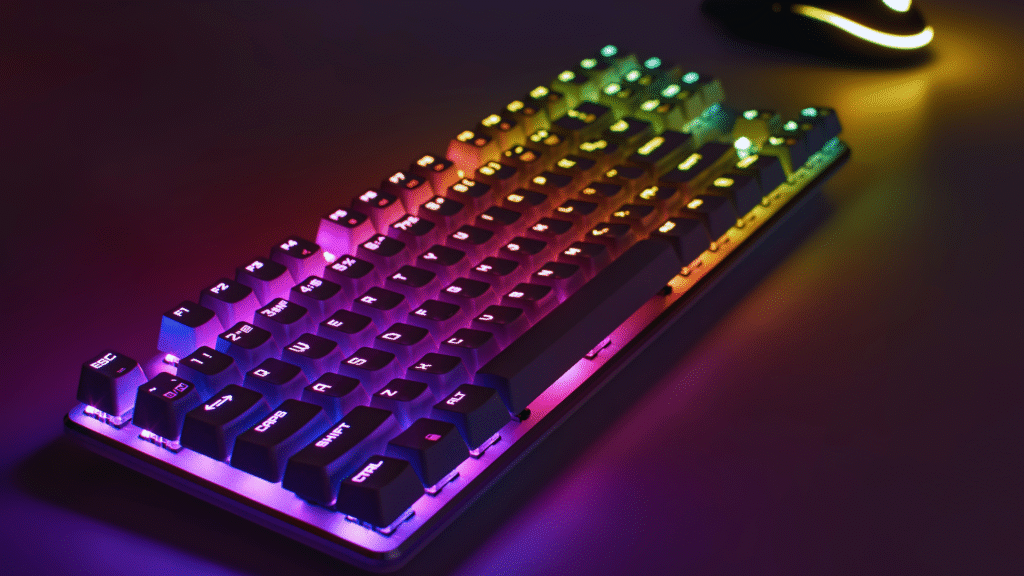
Choosing the right gaming keyboard can significantly impact both comfort and performance during gameplay. The most important factors to consider are switch type, key rollover, build quality, and customizable features. These elements determine how responsive and durable the keyboard will be over time.
Gamers often look for mechanical switches for their tactile feedback and faster response times, but preferences vary depending on play style. Additionally, features like anti-ghosting and programmable keys help enhance gameplay by allowing multiple key presses and personalized controls.
Beyond functionality, the keyboard’s design and lighting options contribute to the overall gaming experience. Understanding these key aspects helps gamers select a keyboard that meets their specific needs without unnecessary extras.
Essential Factors to Consider in a Gaming Keyboard
A gaming keyboard’s effectiveness depends on its responsiveness, comfort, and adaptability to different setups. Key choices like switch type, size, and connectivity affect performance, while technical features ensure accurate input during intense gameplay.
Switch Type Selection
Choosing the right switch type is crucial for gaming precision and comfort. Mechanical switches, like Cherry MX Red, are popular for their smooth, linear feel with low actuation force. This reduces finger fatigue during fast keystrokes.
Other options include Hall effect switches, which use magnetic fields to detect key presses, offering durability and consistency over time. Magnetic switches provide silent operation with less wear but may have slower response compared to mechanical types.
Switch choice impacts sound, tactile feedback, and speed. Linear switches suit fast-paced games, while tactile or clicky switches help with typing accuracy. Understanding preferences ensures the keyboard matches a gamer’s style.
Form Factor and Size
Keyboards come in various sizes, such as full-sized and compact. A full-sized keyboard includes a numeric keypad and function keys, useful for multitasking outside of gaming. Compact keyboards, like tenkeyless models, save desk space and improve mouse movement range.
Form factor influences portability and setup. Smaller keyboards suit gamers with limited space or those attending LAN events. Larger ones provide more keys for macro customization and shortcuts.
Weight and build also matter. Sturdy construction improves durability, while lightweight models enhance transportability. Gamers must balance space, key count, and comfort based on their environment.
Connectivity Options
Wired and wireless keyboards offer different benefits. Wired keyboards typically provide faster response times and stable connections, favored by competitive gamers for minimizing input lag.
Wireless keyboards offer freedom of movement and cleaner setups, but can introduce slight latency. Modern wireless models with advanced protocols reduce these delays to near-wired levels, though users should watch battery life and interference risks.
Some keyboards support both options, allowing switching between modes. Compatibility with gaming systems and ease of setup also influence connectivity choice.
Key Rollover and Polling Rate
Key rollover defines how many keys can be pressed simultaneously without conflicts. N-key rollover means all keys register independently, critical for games requiring multiple simultaneous commands.
Polling rate measures how often the keyboard reports input to the computer, typically between 125Hz and 1000Hz. Higher polling rates enable faster response times, reducing input lag during gameplay.
For competitive gaming, keyboards with at least 6-key rollover and 1000Hz polling rate are recommended. These features ensure commands register accurately and swiftly, providing an edge in fast-paced scenarios.
Key Features That Enhance Gaming Performance
The effectiveness of a gaming keyboard depends on a few specific criteria: how keys respond to input, customizable aesthetics, functional macro options, and added convenience features. These elements combine to improve precision, comfort, and usability during gameplay.
Tactile Feedback and Actuation
Tactile feedback is critical for optimal gaming because it lets players know when a key has been successfully pressed without having to bottom out the key. Mechanical switches like Cherry MX Browns or Clears offer balanced tactile bumps that signal actuation and reduce finger fatigue during prolonged use.
Actuation force varies by switch type, typically ranging from 45g to 60g. Lower forces allow faster key presses, beneficial in fast-paced games. Meanwhile, PBT keycaps provide durable surfaces that resist shine and wear, maintaining a consistent feel over time.
A detachable wrist rest can further enhance comfort, preventing strain during extended gaming sessions.
RGB Lighting and Aesthetics
RGB lighting is more than visual flair; it provides functional illumination and customizable profiles. Players can assign color patterns to critical keys for quick identification under various lighting conditions.
Software accompanying many gaming keyboards enables advanced lighting programming, including reactive effects triggered by key presses or game events. Some models allow synchronization with other peripherals for a cohesive setup.
Adjustable lighting zones and brightness control help balance visibility without distracting from gameplay. Durable keycaps also allow light to pass cleanly for crisp legends.
Macro Keys and Customization
Dedicated macro keys offer significant advantages by enabling complex command sequences with a single press. This saves time and increases efficiency during intense gameplay moments.
Good gaming keyboards include software that supports full macro customization, allowing users to assign macros to virtually any key. Profiles can be saved and switched automatically per game or based on user preference.
Customizable key layouts and onboard memory help portable setups retain settings without software dependency. Hot-swappable switches add another layer of adaptability for a personalized feel.
Media Controls and USB Passthrough
Media controls allow for quick adjustments to volume, playback, and microphone settings without leaving a game. Physical buttons or wheels provide tactile response, ensuring immediate control access.
USB passthrough ports on keyboards add convenience by expanding the number of easily accessible connections for peripherals such as headsets or mice. This reduces desktop clutter and cable length issues.
Both features are especially useful in competitive environments, where swift reactions and comfort are essential. Keyboards with programmable media keys can further optimize multitasking during gaming sessions.
Brand Reputation and Compatibility Considerations
Choosing a gaming keyboard involves evaluating trusted manufacturers and how well the device integrates with different systems. Brand reliability and software support help ensure consistent performance and ease of use across platforms.
Leading Gaming Keyboard Brands
Razer, Corsair, and ASUS are prominent names with solid reputations in gaming keyboards. Razer is known for its durable build quality and customizable RGB lighting through its Synapse software. Corsair focuses on mechanical switches and strong software support, often favored for its responsive keys and solid construction. ASUS combines innovative features with compatibility for various gaming setups, including cross-device synchronization with monitors and mice.
These brands also offer extensive warranty options and active customer support, which matters in case of hardware issues. Choosing a keyboard from these firms typically guarantees compatibility with Windows, which is essential since most gaming setups rely on this OS.
Software and Platform Integration
Good gaming keyboards should seamlessly integrate with multiple systems, especially Windows and iOS. While Windows support is nearly universal, gamers using Apple devices must verify if the keyboard’s software supports macOS or iOS features. Razer Synapse and Corsair iCUE permit deep hardware customization and macro programming but primarily target Windows users.
Integration often extends beyond just the keyboard. For example, ASUS Aura Sync links keyboards with compatible monitors and mice for synchronized lighting effects, enhancing the overall setup. Users should check if the keyboard’s software updates regularly to maintain compatibility with the latest OS versions and peripherals.
Extra Considerations for Advanced Users
Advanced users will value factors beyond basic functionality. Emphasis lies on construction quality and expanded connectivity options that support complex setups.
Build Quality and Durability
Advanced users demand keyboards with robust construction to endure high usage. Materials like aluminum frames and PBT keycaps resist wear better than plastic or ABS keycaps. These components minimize surface shine and key fading over time.
Switches should match usage intensity. Mechanical switches with higher durability ratings, such as Cherry MX or Kailh Box switches rated for 50 million+ keystrokes, are preferred. Stability in keypresses helps avoid ghosting or debounce issues.
Cooling is significant in sustained gaming setups, though keyboards don’t directly impact CPU or RAM cooling. However, keyboards with metal plates can slightly assist in heat dissipation by not trapping heat like plastic mounts.
Additional Peripheral Connectivity
Advanced keyboards often integrate extra connectivity for complex systems. USB passthrough ports enable convenient access for mice or headsets without reaching the PC.
Some models include dedicated audio jacks, easing the management of microphone and headphone cables. These features reduce clutter and simplify access to critical peripherals.
Other connections, like QMK or VIA firmware support, allow enthusiasts to fully customize key functions and macros, often essential for complex game command setups. This flexibility interacts with motherboard capabilities for seamless integration.