
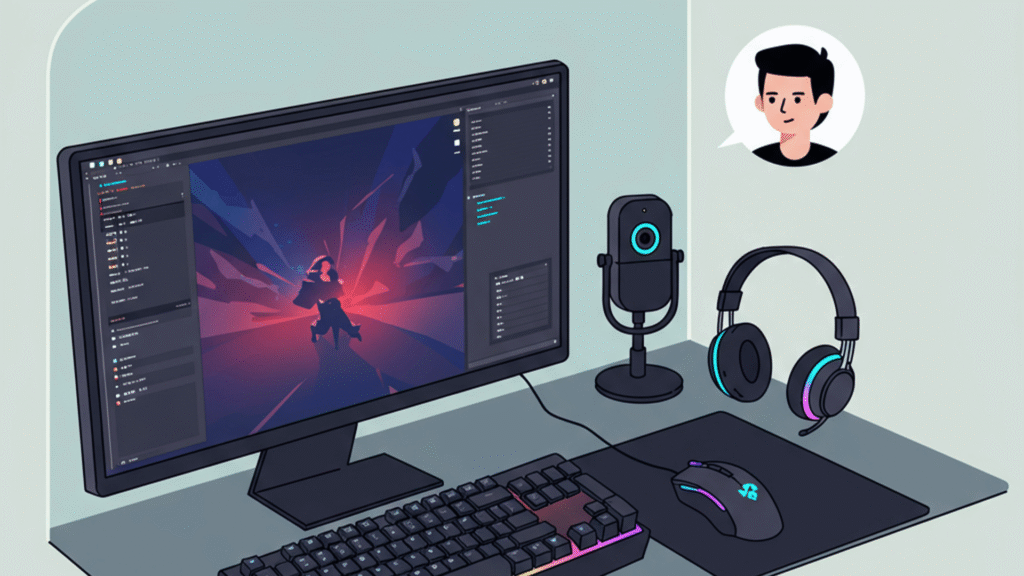
Monitor specifications directly affect gameplay performance by influencing how smoothly and clearly games are displayed. Factors like refresh rate, response time, and resolution change the visual experience and can impact reaction times and overall game fluidity. Choosing the right monitor specs ensures games run smoothly while providing sharp, clear images that match the demands of modern gaming.
A higher refresh rate means more frames per second get displayed, reducing motion blur and making fast actions appear smoother. Response time impacts how quickly a pixel changes color, which can prevent ghosting during quick movements. Resolution defines the detail level on-screen, affecting how immersive and visually accurate the game looks.
These specs work together to determine whether gameplay feels responsive and visually satisfying. Gamers who understand the trade-offs between them can make informed decisions to improve their performance and enjoyment.
How Monitor Specifications Directly Influence Gameplay
Monitor specifications like refresh rate, resolution, and response time determine how smoothly and clearly a game runs. These factors impact how effectively a player can react and how detailed the visuals appear during gameplay.
Relationship Between Refresh Rate and FPS
Refresh rate, measured in hertz (Hz), is the number of times a monitor updates its image per second. For gaming monitors, common refresh rates include 60Hz, 120Hz, 144Hz, and even 240Hz.
A higher refresh rate allows the screen to display more frames per second (FPS), provided the graphics card can output that many frames. For example, a 144Hz monitor can show up to 144 FPS, making motion appear smoother compared to a 60Hz display.
Competitive gamers often prefer monitors with 144Hz or higher because rapid refresh rates reduce motion blur, enabling quicker reaction times. If the FPS exceeds the monitor’s refresh rate, techniques like V-Sync or G-Sync help synchronize frames and reduce screen tearing, improving the gaming experience.
Impact of Resolution on Performance
Resolution defines the number of pixels displayed on the screen. Common gaming resolutions include 1080p (Full HD), 1440p (QHD), and 4K (Ultra HD).
Higher resolution means sharper images and more detail, but it also demands more from the graphics card. Running games at 4K requires significant GPU power to maintain high FPS, which is critical for smooth gameplay.
A balance between resolution and refresh rate is essential. For instance, a 1440p monitor offers better visuals than 1080p with less GPU strain than 4K, making it a popular choice for gamers seeking both clarity and performance.
The Role of Response Time in Fast-Paced Games
Response time measures how quickly a pixel can change from one color to another, usually in milliseconds (ms). A low response time, such as 1ms, reduces ghosting and motion blur.
Fast-paced games like first-person shooters demand monitors with response times of 1ms to ensure clear images during rapid movements. Slower response times can cause trailing effects, which distract players and may reduce accuracy.
Monitors with 1ms response times paired with high refresh rates provide the clearest and most fluid visuals, crucial for competitive gaming where every millisecond counts. Response time, combined with refresh rate, directly influences a player’s ability to track targets and react swiftly.
Core Display Technologies Shaping Gaming Performance
Display technology directly affects how players see games and respond to visual cues. Factors like panel type, color accuracy, and dynamic range define clarity, color depth, and contrast. These elements heavily influence gameplay experience, particularly in fast-paced or graphically rich titles.
Panel Types and Their Gaming Benefits
Gaming monitors typically use TN, IPS, or VA panels, each offering unique strengths.
TN panels feature very fast response times and high refresh rates, beneficial for competitive gaming. However, they generally have poor viewing angles and lower color accuracy.
IPS panels provide better color reproduction and wider viewing angles, with response times improving in recent years. They suit gamers who prioritize visuals and color fidelity over minimal input lag.
VA panels offer superior contrast ratios and deeper blacks, enhancing dark scene detail. Their response times are slower than TN but often acceptable for immersive single-player experiences.
Choosing the right panel depends on balancing speed, color quality, and contrast based on gameplay style.
Color Accuracy and Gamut’s Effect on Visuals
Color accuracy and gamut coverage impact how faithfully games render their intended colors.
Monitors with high sRGB coverage ensure more precise color representation, important for visually detailed games. IPS panels typically excel here, with better color uniformity than TN or VA types.
High color gamut coverage beyond sRGB, such as DCI-P3, allows for richer and more vibrant colors, enhancing visual immersion.
Accurate colors improve players’ ability to differentiate in-game elements like enemies or items, potentially affecting gameplay effectiveness.
HDR and High Dynamic Range Enhancements
HDR (High Dynamic Range) expands brightness and contrast levels beyond standard monitors, enabling scenes with more depth and realism.
Monitors supporting HDR10 provide 10-bit color depth and higher peak brightness, illuminating shadows and highlights more clearly.
Effective HDR implementation depends on a high contrast ratio and peak luminance, often found in VA and OLED displays.
While still emerging in gaming, HDR can reveal hidden details in dark areas and bring vibrant light effects to life, improving visual comprehension during gameplay.
Advanced Features and Connectivity for Optimal Gaming
Gaming monitors include features that directly influence smoothness, responsiveness, and immersion. Some focus on reducing visual anomalies, while others offer better compatibility and comfort through size and connection options.
Adaptive Sync Technologies
Adaptive sync technologies like Nvidia G-Sync and AMD FreeSync eliminate screen tearing by synchronizing the monitor’s refresh rate to the GPU’s frame output. This results in smoother gameplay and reduces input lag, which is critical for fast-paced games.
Monitors supporting FreeSync typically work well with AMD GPUs, while G-Sync is optimized for Nvidia cards. Some newer monitors, such as the Samsung Odyssey G5, offer compatibility with both, expanding flexibility. Adaptive sync over DisplayPort generally provides better performance than HDMI due to higher bandwidth and variable refresh rate support.
Screen Size and Aspect Ratio Choices
Screen size and aspect ratio directly affect the field of view and immersion. Standard 16:9 monitors between 24 to 27 inches balance visibility and desk space well.
For enhanced peripheral vision, gamers may choose an ultrawide monitor with a 21:9 aspect ratio. These are especially useful in racing or simulation games and often come curved for better viewing angles. Curved ultrawide models like the Samsung Odyssey G5 provide deeper immersion by matching the user’s natural eye curvature.
Larger screen sizes and ultrawide formats can demand more GPU power to maintain high frame rates, which is an important consideration.
Connectivity Options and Compatibility
Modern gaming monitors usually offer DisplayPort and HDMI inputs. DisplayPort is preferred for gaming due to higher bandwidth, supporting higher refresh rates and adaptive sync technologies more effectively. HDMI, while more common on TVs and consoles, may limit refresh rate performance, especially at high resolutions.
Some monitors support multiple inputs, enabling users to switch between PC and console gaming setups without reconnecting cables. USB hubs or additional ports help connect peripherals, but these features can add to input lag if not well-designed.
Choosing a monitor with the right connectivity ensures compatibility with existing hardware and optimal performance without signal degradation.
Future-Proofing Your Gaming Setup
Choosing the right monitor specifications helps maintain smooth performance as new technologies develop. Understanding upcoming display trends and how different gamers prioritize specs is critical for a long-lasting setup.
Emerging Resolutions and Technologies
Gaming monitors are gradually adopting resolutions beyond 4K, with 8K displays entering high-end markets. While 8K offers unparalleled detail, it demands powerful GPUs that many current systems cannot support efficiently, making it suitable mainly for enthusiasts focused on future upgrades.
Variable refresh rate technologies like VRR, G-Sync, and FreeSync continue to improve, reducing screen tearing and input lag. OLED panels are gaining traction due to faster pixel response times and better contrast, especially noticeable in darker scenes.
HDR standards are also evolving, with HDR10+ and Dolby Vision enhancing color accuracy and brightness. Gamers should consider monitors that support these formats to remain compatible with upcoming game releases and media.
Tailoring Monitor Specs for Different Gamer Types
Casual gamers benefit most from balanced specs: 1080p resolution, 60-144Hz refresh rates, and low input lag provide smooth, accessible gameplay without overextending budgets.
Competitive players prioritize high refresh rates (144Hz to 360Hz) and fast response times (1ms or lower). A monitor’s refresh rate directly impacts reaction time, crucial in fast-paced shooters or esports titles.
Content creators who game often require higher resolution displays, such as 4K or 8K, for detailed visuals and editing work. They also benefit from wide color gamuts and accurate color reproduction.
Choosing specs based on gaming style ensures the monitor remains relevant and efficient across upgrades and evolving titles.